
Notifications
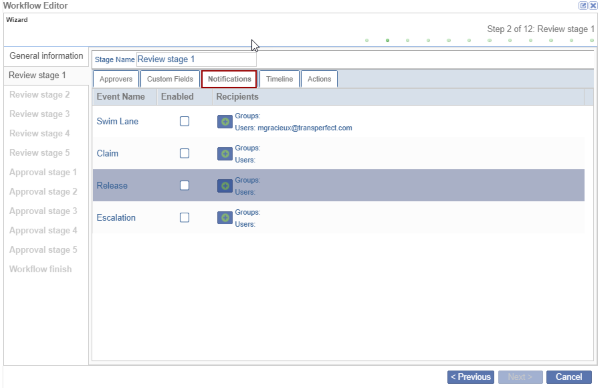
In the Notifications tab, the user can allow for email notifications to be enabled for the event names listed. For users who want to be notified only in case of Swim Lane, Claim, Release, or Escalation, Users/Groups can be added accordingly.
- Click on the Notifications tab.
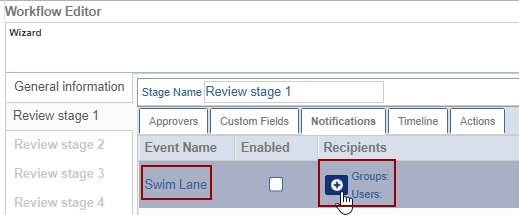
- To add the Users/Groups to the specific Event Name, click the + (plus) icon
available beside the event name.
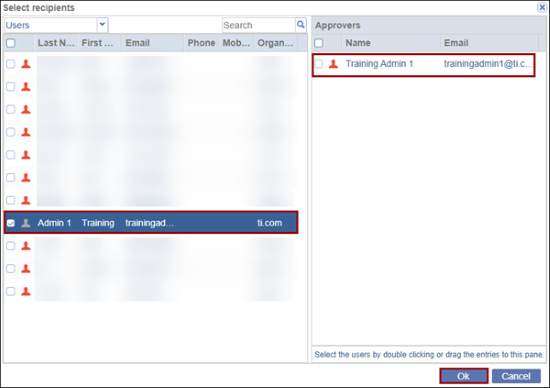
- The Select Recipients pop-up window is displayed with the list of Users/Groups.
- Select the users/groups by double-clicking or dragging the entries to the right pane
and click OK.
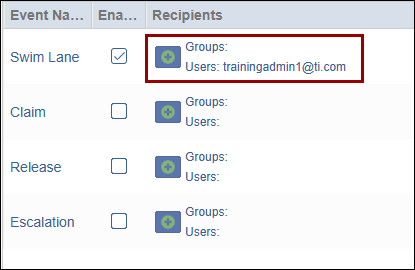
- The added users/groups are displayed on the Workflow Editor pop-up window.
© 2025 Trial Interactive. All Rights Reserved

