
Timeline
In case values are configured in Timeline Configuration in Common Settings, the values would be populated by default in the Timeline tab. Users may choose to override the previously set configurations if desired.
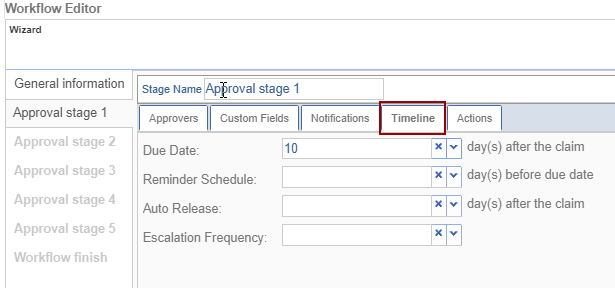
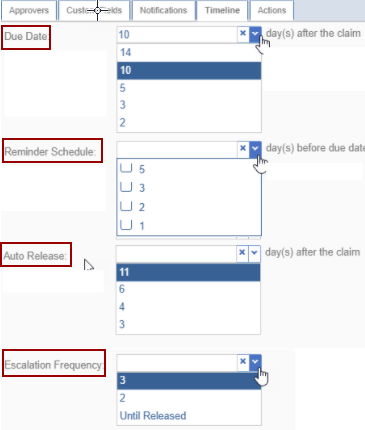
| Due Date | displays the days once the document is claimed |
| Reminder Schedule | displays the days before the due date comes |
| Auto Release | displays the days after claiming the document |
| Escalation Frequency | decides to escalate the document until the release |
© 2025 Trial Interactive. All Rights Reserved

