
Manage Announcements
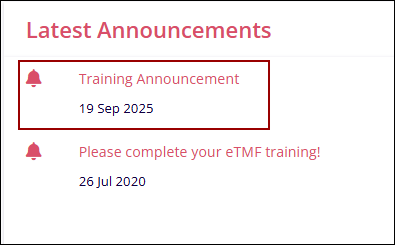
The Manage Announcements setting establishes a direct line of communication between users and training groups. The communication primarily involves new training announcements, assessment notices, and reminders. With Manage Announcements, users with the necessary access permissions can view, add, edit, and delete the announcements. These announcement messages appear within the Latest Announcements dashlet on the GlobalLearn Dashboard.
Add Announcement
To create a new announcement, follow the steps below:
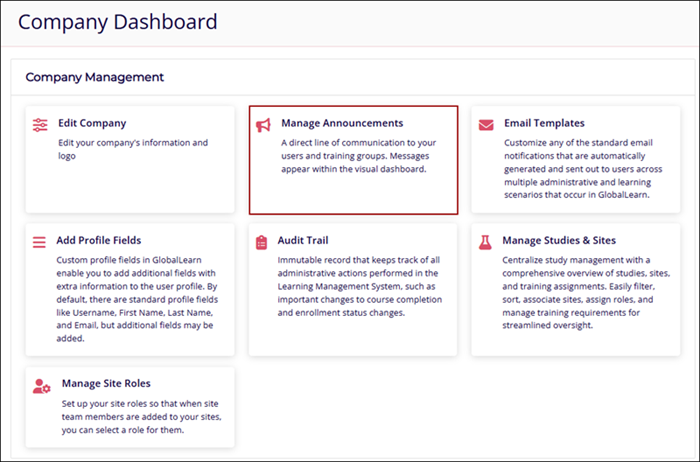
- Navigate to the Company Dashboard page and select Manage Announcements.
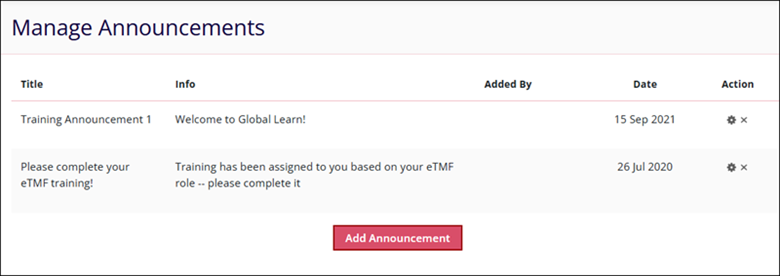
- Click on the Add Announcement button on the Manage Announcements screen.
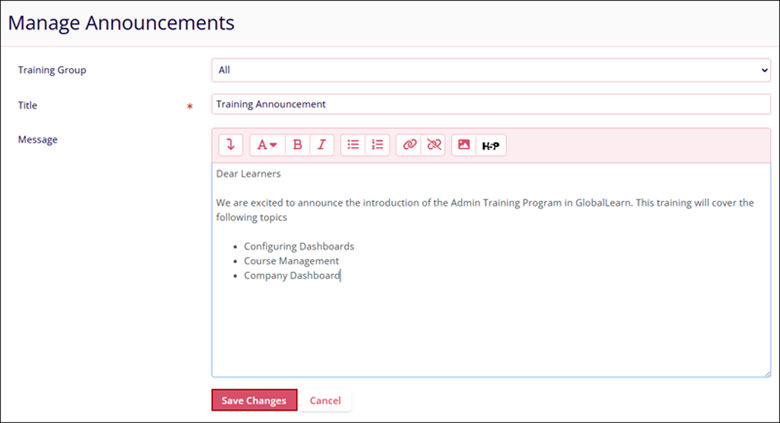
- Enter the following details and click on the Save Changes button.
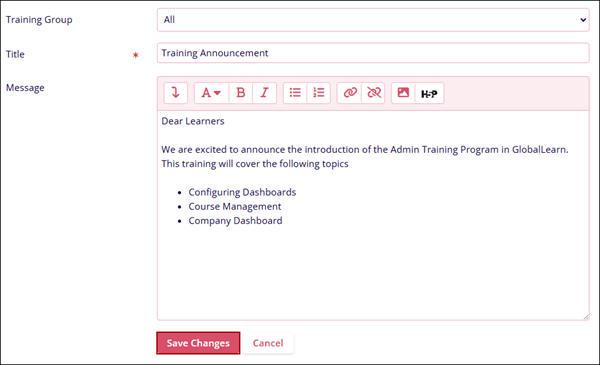
- Training Group: Select the Training Group relevant to the announcement.
- Title*:Enter a suitable title for the announcement.
- Message: Draft a clear message outlining the purpose of the announcement
- The Latest Announcements dashlet displays the newly created announcement.
Edit Announcement
To edit an announcement, follow the steps below:
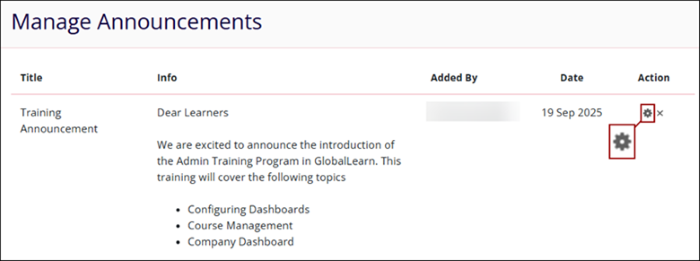
- Click on the Edit (cog) icon next to the announcement to edit.
- Click on the Save Changes button, once the required changes are made.
Delete Announcement
To delete an announcement, follow the steps below:
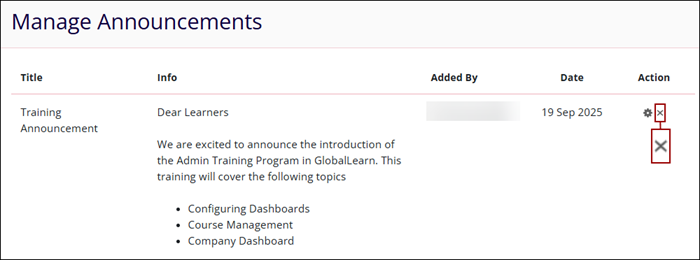
- Click on the Delete (cross) icon next to the announcement.
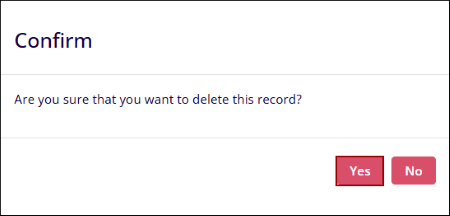
- On the confirmation window, click on the Yes button to confirm the deletion.

TransPerfect’s Trial Interactive is an industry leader in practical, global eClinical innovation
PRODUCTS
 Linkedin
 X
X
Didn’t find what you need?
Our dedicated Project Management and Client Services team will be available to meet your needs
24 hours a day, 7 days a week.
Toll Free:
(888) 391-5111
help@trialinteractive.com
© 2025 Trial Interactive. All Rights Reserved

