
Download documents
To download the documents, follow the steps below:
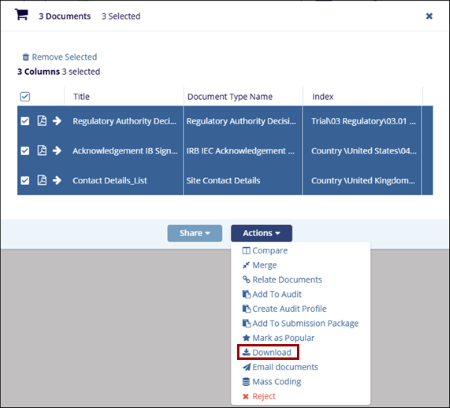
- Add the required documents to the Documents Cart and click the arrow next to it to open the Documents Cart window.
- On the Documents Cart window, click on the Actions dropdown and select the
Download option.
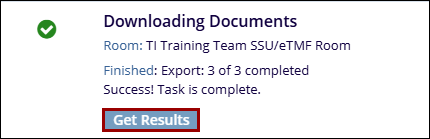
- On the success message popup click on the Get Results button.
© 2025 Trial Interactive. All Rights Reserved

