
Export Audit by View
The Export Audit by view is the process of extracting audit records based on a specific view or filter applied in the Select Metadata Fields. Users can select a view that displays the audit data, such as Added by, Category, Comments, Date type, etc.
To Export Audit By View, follow these steps:
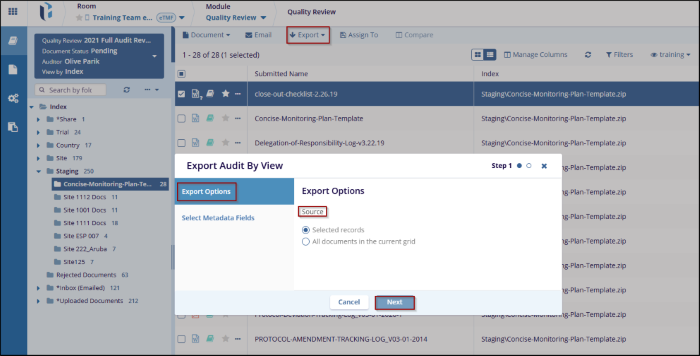
- Click the Export dropdown, and select Export Audit by view. A new Export Audit by View window will open, where the user can see the options, Export Options and Select Metadata Fields. By default, the Export option is selected.
- In the Export Options Under Source, select the radio button as per requirement, for example, All documents in the current grid.
- Click the Next button to move to the next step, where the user can configure
the metadata fields.
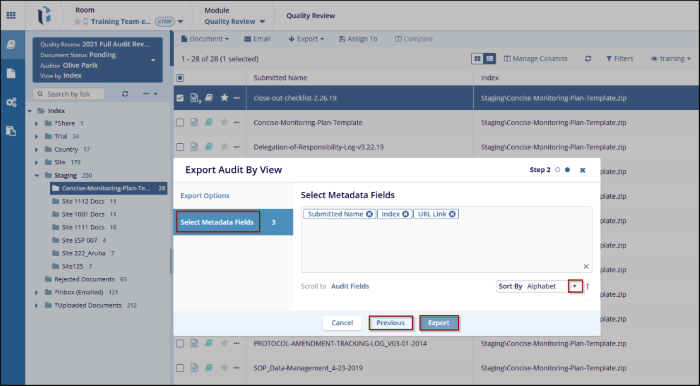
- After clicking Next in the Export Options step, to the Select Metadata Fields section.
- Check the boxes next to the metadata fields that need to be included in the export.
- Click Export to proceed to the final export step or click on the
Previous Button to make changes to the previous option.

 Linkedin
 X
X

