
Documents
The Documents module is the central repository for all clinical trial documents in their original digital format, including Digital Signatures where applicable. It also includes records or documents converted from other formats, such as paper documents, images converted to PDFs, videos, and recordings related to trials.
Here, users can configure and store essential documents about clinical trials, view and edit document attachments, manage security privileges, import and export documents and their metadata, and share them with other users.
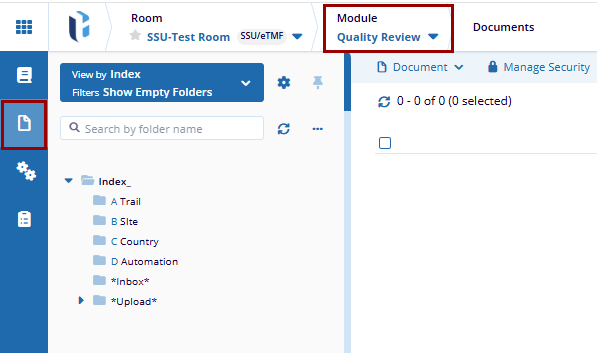
Index and View Configuration
Index
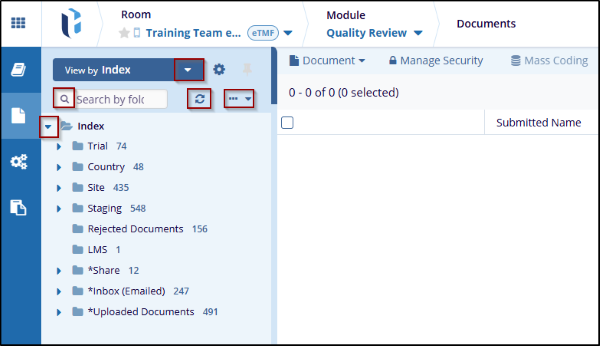
The Room Index is structured as a tree-like system, with Index as the root folder. It consists of parent and child folders, which can either be cloned during room creation or created from scratch. Here users can create folders and subfolders to configure the index structure and export the index structure in either HTML, Excel or Word formats.
Views
The Views functionality enables users to customize the folder structure and select documents based on specific categories. Selecting the Choose View By dropdown, users can select a view and based on the selection the folder structure.
Documents Grid View
The system provides a configurable grid view that displays records in a structured, tabular format. Users can customize the grid by selecting the columns they wish to display, tailoring the view to their specific needs, save personalized grid views and export the displayed data.
Manage Columns
The Manage Columns allows users to customize the columns that appear in the grid. It provides the option to select, organize, and adjust the columns to display specific data as required. Users can configure which columns are displayed in the grid irrespective of the Card or Grid View selected.
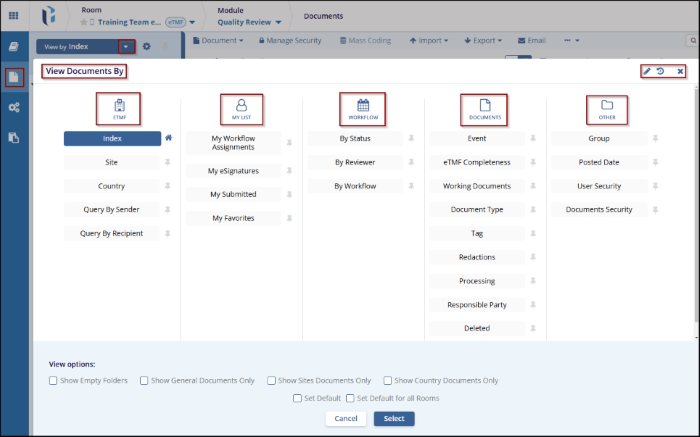
Views
The Views dropdown provides options for Save View, Manage Views, or Turn Off View.
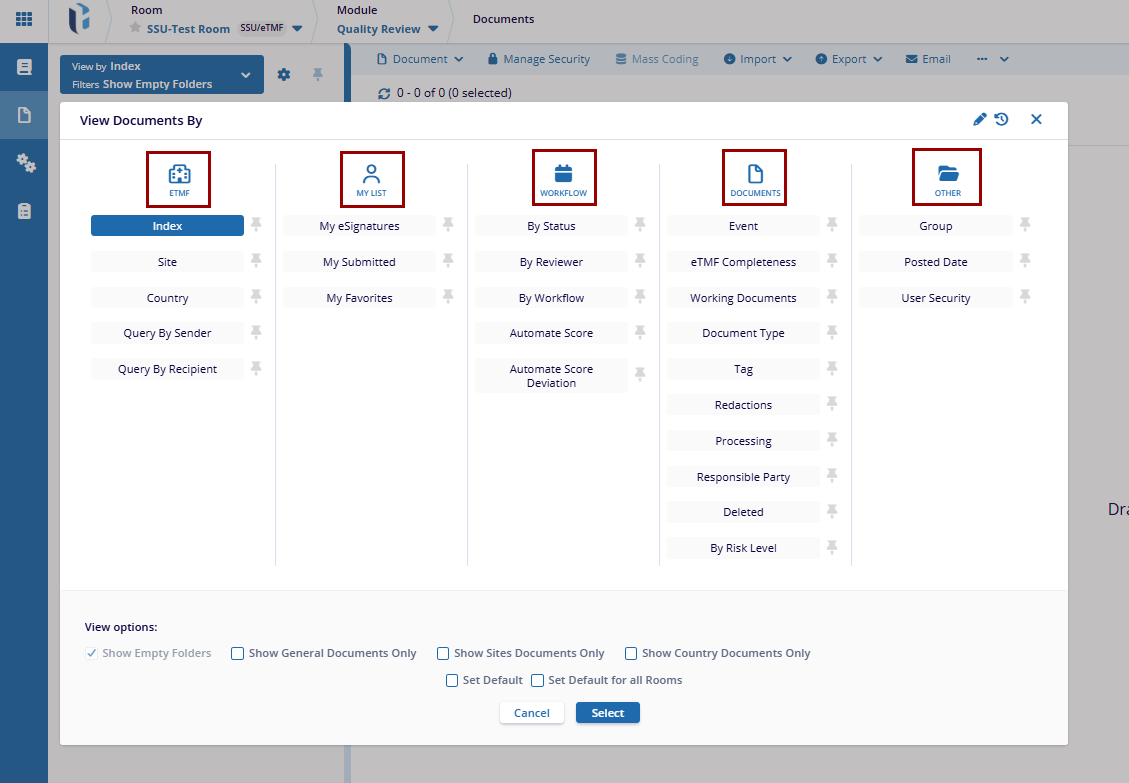
Filters
The Filter feature provides advanced filtering functionality by enabling users to define criteria using logical operators and conditional rules.
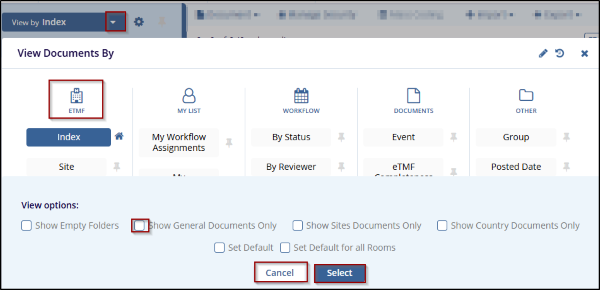
Document Activities Menu
The Document Activities Menu provides access to various actions based on the user’s access rights. To open this menu, select a document or placeholder from the Grid and either right-click or click on the three-dot menu.
Documents Module top menu ribbon
This menu is located at the top of the Documents module and allows access to various functionalities on documents:
- Document Activities
- Manage Security
- Mass Coding
- Import
- Export
- Compare
- Reject
- Local Search
- Documents Cart

Documents metadata panel
From the metadata panel located at the right of the documents grid, users can view the following tabs after selecting a document from the grid.
- Metadata: Displays all enabled metadata fields—both required and optional—that must be completed by the user.
- Info: Provides key document details, including submission date, document type, submitter name, index location, version number, document ID, and file size.
- Related: Indicates any documents that have been linked to the current document.
- Versions: Lists all available versions of the document.
- Queries: Shows all queries raised against the current document.
- History: Displays the complete audit trail and activity history of the document.
- eSignature: Available to users assigned for eSignature, allowing them to select a signature reason and electronically sign the document.
- Workflow: Displays the approval workflow associated with the document, including the total number of stages.

 Linkedin
 X
X

