
Configure Grid View
The system provides a configurable grid view that displays records in a structured, tabular format. Users can customize the grid by selecting the columns they wish to display, tailoring the view to their specific needs, save personalized grid views and export the displayed data.
Manage Columns
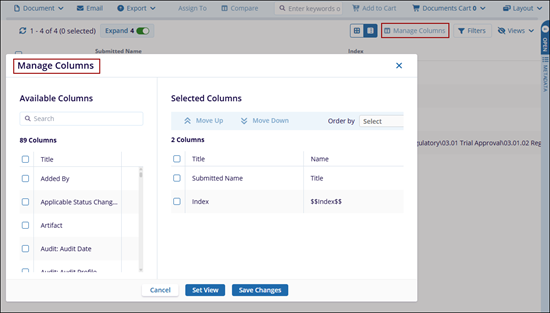
The Manage Columns allows users to customize the columns that appear in the grid. It provides the option to select, organize, and adjust the columns to display specific data as required. Users can configure which columns are displayed in the grid irrespective of the Card or Grid View selected.
Views
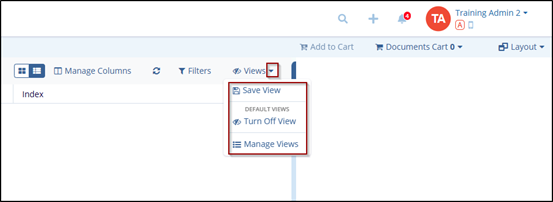
The Views dropdown provides options for Save View, Manage Views, or Turn Off View.
Filters
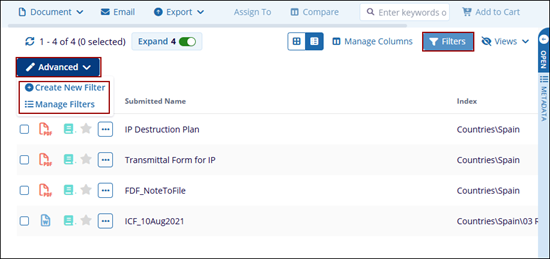
The Filter feature provides advanced filtering functionality by enabling users to define criteria using logical operators and conditional rules.

 Linkedin
 X
X

