
Steps to Export Tasks
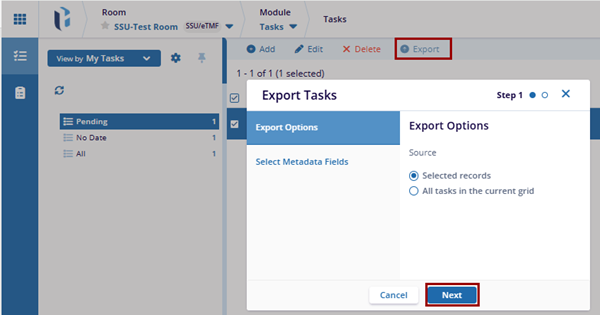
- Click the Export button located in the top menu bar. This opens the Export Tasks window.
- The Export Tasks window will display two options (by default export task is selected):
- The Export Options are a set of queries that will be included in the export. The user can choose the task that should be exported and select any required source.
- Click Next to proceed to the Select Metadata Fields section.
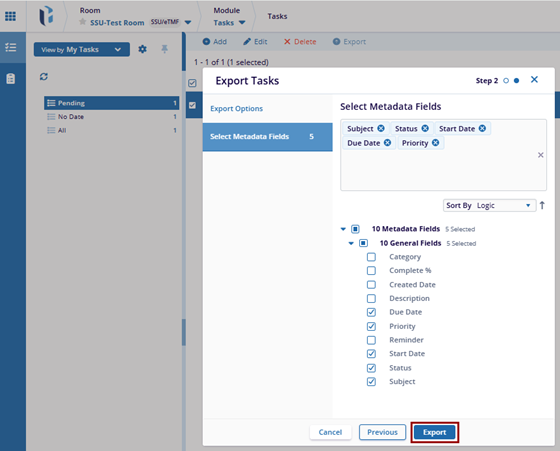
- Once proceed to the Select Metadata Fields option and select the metadata fields that are required, the user can sort it by Alphabet or Logic to include in the export.
- Metadata fields are characteristics of the queries, such as: (Subject, Status, Start date, Due date, etc.)
- After selecting both options, click on the Previous button to go back and
make changes, or click on the Export button to download the file.
- Once click the Export button, a confirmation message will appear.

 Linkedin
 X
X

