
Convert Email Attachment
The Convert Email Attachment option allows users to convert an email file (such as .msg or .eml) along with its attachments into a standard document format within the system.
Follow the steps below for converting Email attachment:
-
Select the Convert Email Attachment option from the Document Activities menu.
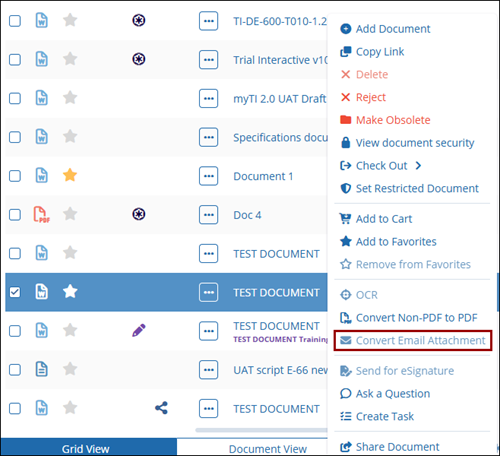
- The system will process the email and convert the attachments into supported document formats.
- Once completed, the selected documents were added to the queue notification message is displayed.
© 2025 Trial Interactive. All Rights Reserved

