
Delete
The Delete option allows the user to remove the selected document from the system. Once deleted, the document will no longer be available in the document list. Users should ensure that the document is no longer required before performing this action.
To delete documents, follow the steps below:
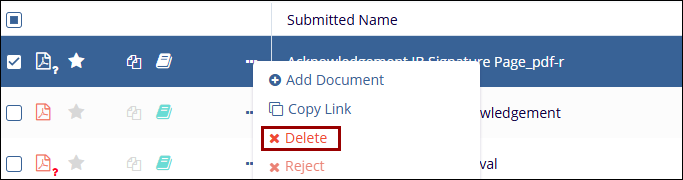
- Select a document and click on the Delete
button from the document activities menu.
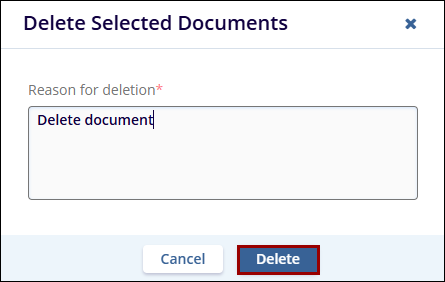
- Enter the reason for deletion on the confirmation popup and
click on the Delete button.
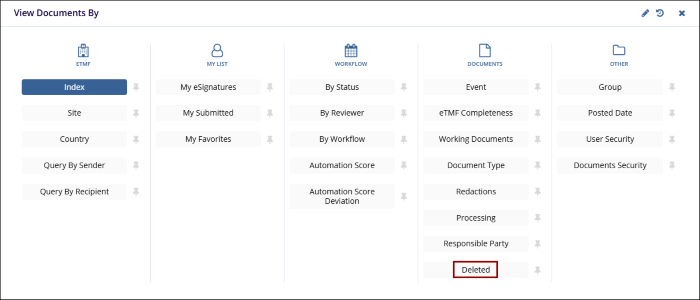
- Deleted documents can be viewed in the Deleted Documents section of the Documents
module, which is accessible only to Administrators.
© 2025 Trial Interactive. All Rights Reserved

