
Replace Attachment/URL
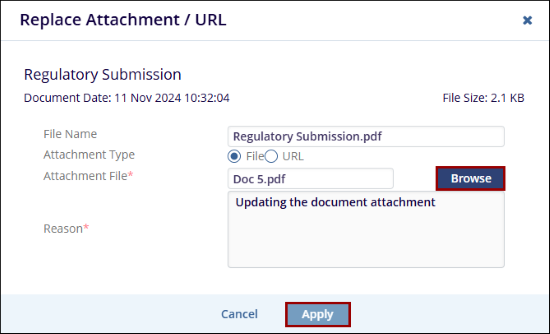
The Replace Attachment / URL option allows the user to update the existing document by uploading a new file or replacing the current URL linked to the document, without creating a new document record.
To replace an existing attachment or URL with a new one, follow the below steps:
- Select a document and click on the Replace Attachment / URL button from the document activities menu.
- In the Replace Attachment / URL window, choose either the File or URL option.
- If the File option is selected, upload the new document into the Attachment File* field by clicking the browse button.
- If the URL option is selected, enter the new URL in the URL* field.
- Provide a reason for replacing the attachment or URL.
- Click the Apply button after adding the new attachment or URL.
© 2025 Trial Interactive. All Rights Reserved

