
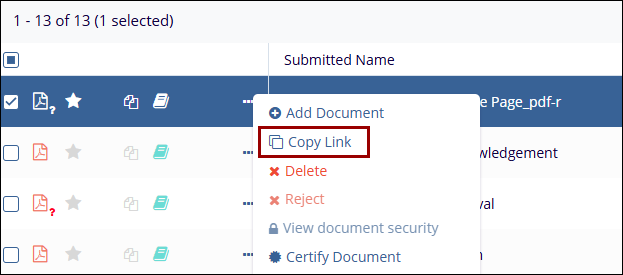
Copy Link
Allows the user to copy the direct link of the selected document to the clipboard, enabling quick sharing or easy access to the document.
To copy the link, follow the steps below:
- Select a document by clicking on the checkbox.
- Click on the three-dot menu and select the Copy Link option.
- The user can then paste this link into emails, chats, or other documents to easily share
or access the specific file within the system.
© 2025 Trial Interactive. All Rights Reserved

