
Send for eSignature
Explore Job Aids for more help:
Job Aids
To send a document for eSignature through the document activities menu, follow the steps below:
- Select the Send for eSignature option from the Document Activities menu.
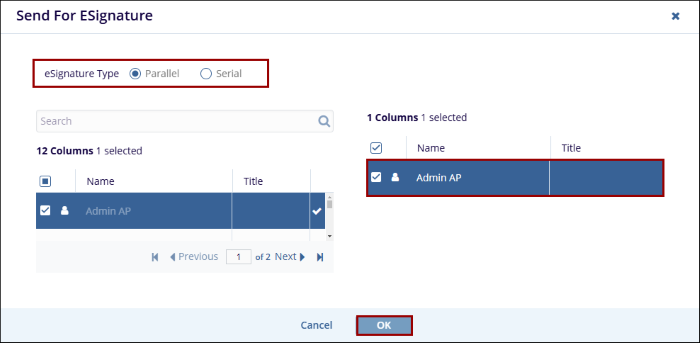
- On the Send for ESignature screen, select the eSignature type as Parallel or Serial.
- Add the users to whom the document is to be sent for ESignature.
- Click on the OK button.
Note:
To understand the ESignature process in detail refer to the eSigning Document section.
© 2025 Trial Interactive. All Rights Reserved

