
Copy Link
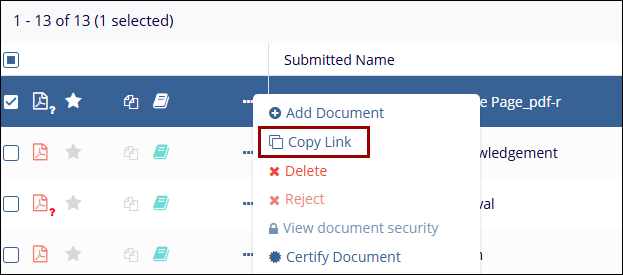
If referencing a specific document to another room user for review, the Document ID Number can be provided, or the Document Activities menu can be opened to select Copy Link, which will copy a direct URL link to the clipboard. Anyone using the link must have sufficient access to the study room to view the document.
To copy the link, follow the steps below.
- Select a document by clicking on the checkbox.
- Select the Copy Link option.

 Linkedin
 X
X

