Users
Explore Job Aids for more help:
Job Aids
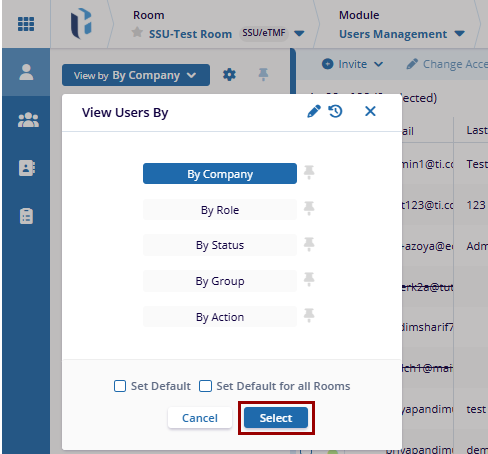
View Users By
In Trial Interactive, users are categorized for easy access and viewing. The user can filter and view different categories using the following steps:
- Click the View By dropdown in the left panel. A list of available categories will appear.
- Select the category to filter the users in the room and click Select at the bottom of the popup window.
-
Additionally, users have two options for setting the default view. Based on the selected view, the User Interface will change accordingly:
- Set Default: By checking the Set Default box, user can set the selected category as the default view for the current room.
- Set Default for all Rooms: By checking the Set Default for all Rooms box, user
can set the selected category as the default view for all rooms.