
myTI Enabled Rooms
To make it easier to keep track of the rooms you have access to through both the standard online application and myTI, an icon will now appear next to any room accessible via myTI. This icon will also be visible within the room itself and will be added to your Username Menu dot for quick identification.
Mark a Room As Favourite
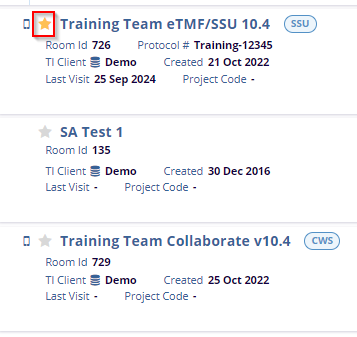
On the left side of the Home Page, users can view a list of all assigned rooms, along with detailed room-specific information. Key details, including Room ID, Creation Date, Last Visit, Protocol, TI Client, and Project Code, are displayed for convenient reference. Users can also mark a room as a favorite by clicking the Star Icon.

 Linkedin
 X
X

