
Audit Trail
The Audit Trail in the Communications module provides a comprehensive record of all actions performed on communications and documents within a study room. This feature is designed to help users track activities for auditing and compliance purposes. Users can filter the audit trail by various criteria to retrieve specific records efficiently.
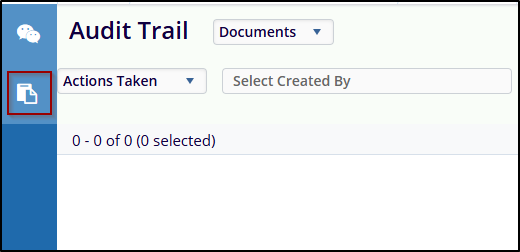
The audit trail can be filtered by:
- Actions Taken: Select specific types of actions, such as Created, Modified, or Deleted.
- Created By: Filter records based on the user who acted.
- Date Range: Specify the start and end dates to view actions within a particular timeframe.
- Document, Folder, Placeholder, and Users: Use these options to further narrow down the search to specific entities.
Steps to perform Audit Trail:
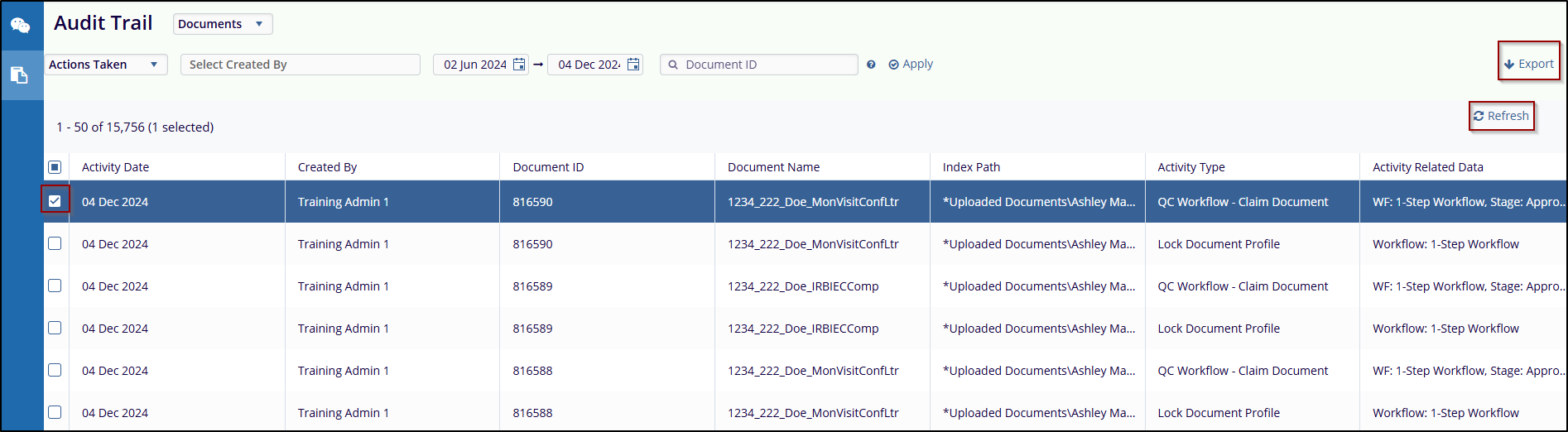
- Navigate to the Audit Trail section under the Queries module.
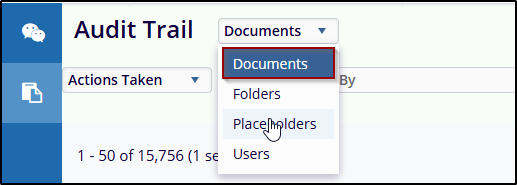
- Use the Record Type dropdown (default is Documents) to choose the type
of record the user wants to filter.
Example options may include:
- Documents
- Folders
- Placeholders
- Users
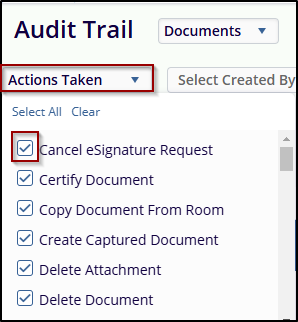
- Select an option from the Actions Taken dropdown menu to filter the audit
trail (e.g., Delete Document, Document e-mailed, copy document from room, etc.).
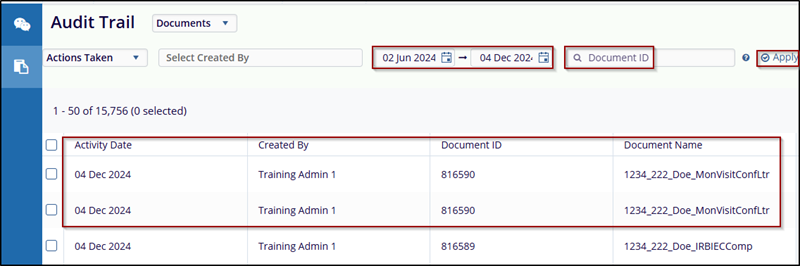
- Specify a Start Date and End Date to limit the results to a specific period.
- Enter a Document ID in the provided field to filter results for a specific document.
- Once all criteria are set, click the Apply button to display the filtered
results in the grid view.
- Check the checkbox before the date to select it.
- After selecting, click the Export button to take an export of the document,
and to refresh the page click on the Refresh Icon below the Export button.
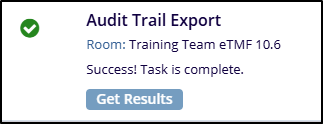
- Once click the Export button confirmation message will pop up.

 Linkedin
 X
X

