
Review Documents
Explore Job Aids and Videos for more help:
Job Aids
Once a document has been claimed, the reviewer must check it against quality control guidelines, apply necessary metadata, and determine whether to approve or reject it. Reviewers can also create a query for assistance with reviewing a document.
To review a document and assign a status to it, follow the steps below:
- As a reviewer in the first stage of workflow, claim a document by following steps detailed in the Claim a Document section.
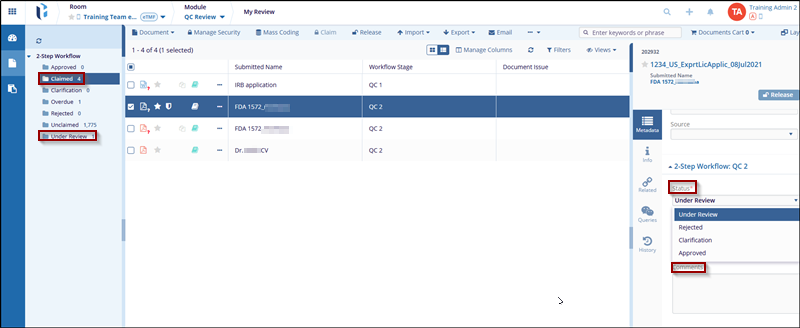
- Open the documents metadata panel.
- Within the metadata tab, navigate to the workflow step section.
- Click the Status dropdown and select any one of the available statuses.
- Based on the selected status, reviewers can either perform the further associated
actions such as:
- Approving,
- Rejecting
- Raising document query for clarification
Note:
- The statuses that can be added to a document need to be first configured in the approval workflow.
- For more information on adding status to a workflow, click here.

