
Published Documents
To publish documents, follow the steps below:
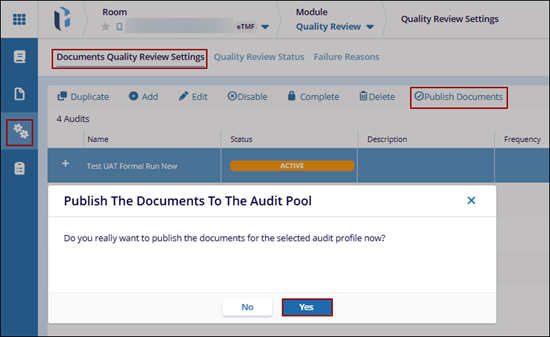
- Navigate to the Quality Review module and open Quality Review Settings.
- Click on the Documents Quality Review Settings tab.
- Select an audit with Active status and click the Publish Documents button from the top menu bar.
- Click Yes on the confirmation pop-up.

 Linkedin
 X
X

