
View and Edit Request Details
Follow the steps below to view and edit the request details:
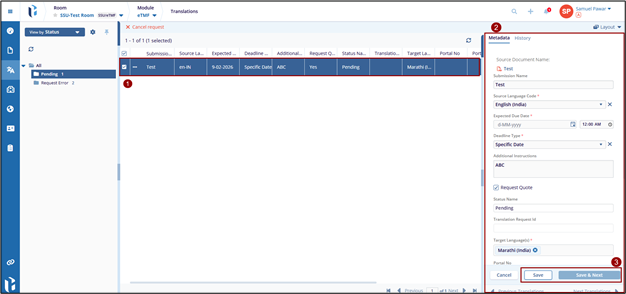
- Click on a translation request from the list.
- The request metadata is displayed on the right-hand panel.
- Review the information such as:
- Submission Name
- Source Language
- Target Language(s)
- Expected Due Date
- Deadline Type
- Additional Instructions
- Request Quote
- Status Name
- Make the required changes if needed.
- Click Save to update the request. It will display the successfully
updated message.

 Linkedin
 X
X

