
Billing Reports
Follow the steps below to view Billing Reports:
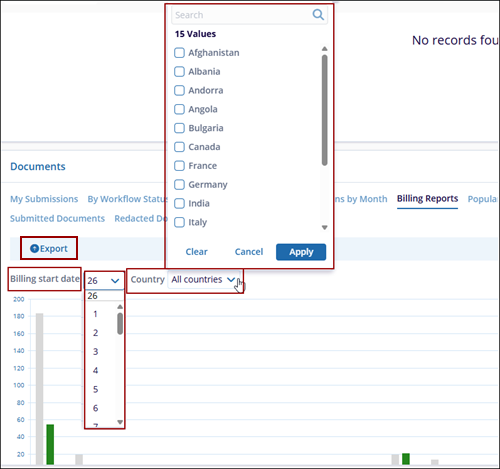
- Click Billing Report tab within the Documents dashlet, it provides a graphical overview of billing-related document activity across the study.
- The data is displayed in a month-wise bar chart format for easy comparison and tracking.
- The Billing Start Date dropdown allows users to select the billing cycle start date.
-
The Country dropdown enables filtering the report by specific country or viewing data for All Countries.
- The report dynamically updates based on the selected filters.
- An Export option is available to download the billing report data. The
chart visually represents document counts to help monitor billing
trends.

 Linkedin
 X
X

