
Certify Document
Explore Job Aids for more help:
Job Aids
For studies in which the document certification option is in use, a user can either choose to indicate that a document is a certified copy upon upload or it can be done via the Document Activities Menu.
Follow the steps below to certify a document:
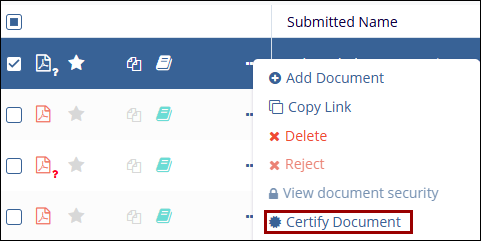
- Open the Document Activities menu by right-clicking on a document or using the three-dot icon on the grid.
- Select Certify Document.
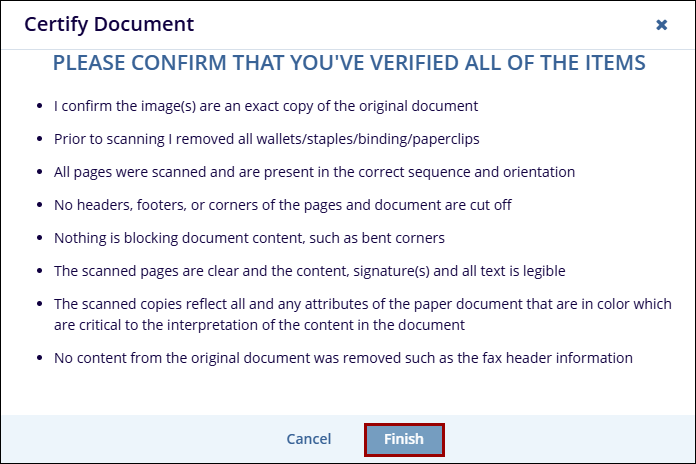
- Read the criteria and press Finish if the document meets all expectations.
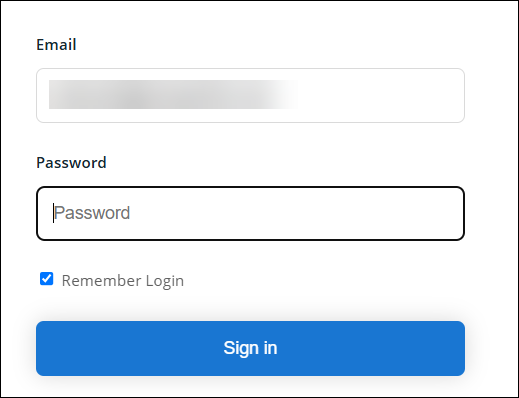
- Use the Email and Password to Login and complete the process.

 Linkedin
 X
X

