
Convert Non-PDF to PDF
Follow the steps below to convert non-PDF files into PDF files:
- Select the Convert Non-PDF to PDF option from the Document Activities menu.
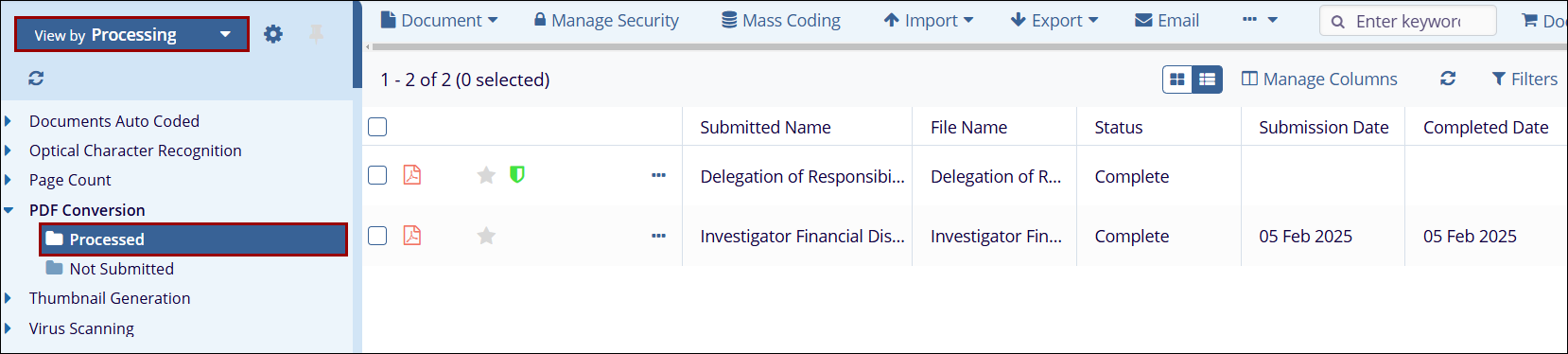
- Access the View by dropdown and select the Processing view.
- Expand the PDF Conversion folder and select the Processed sub-folder
to view the document converted into a PDF file.

 Linkedin
 X
X

