
Machine Translation
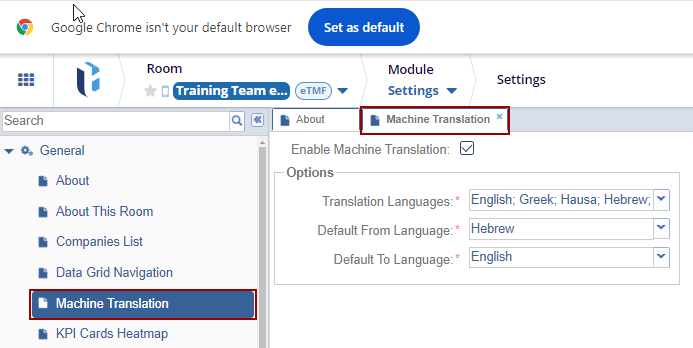
This menu provides users with control over the Machine Translation feature, offering three options to customize its behavior according to their specific needs.
- Translation Languages: This menu allows users to switch languages based on their preferences or specific requirements.
-
Default From Language: This menu allows users to sets the starting point for the translation process.
-
Example: If most of your content is written in English, you would set Default From Language to English.
- Default To Language: This menu allows users to defines the target language for translations.
Please note: The Machine Translation function is compatible exclusively with .pdf documents that have undergone OCR (Optical Character Recognition) processing.
Ensure you click Save to apply and retain any changes.

 Linkedin
 X
X

