
Tasks Management
The administrator may need to set up certain configurations for tasks in a room.
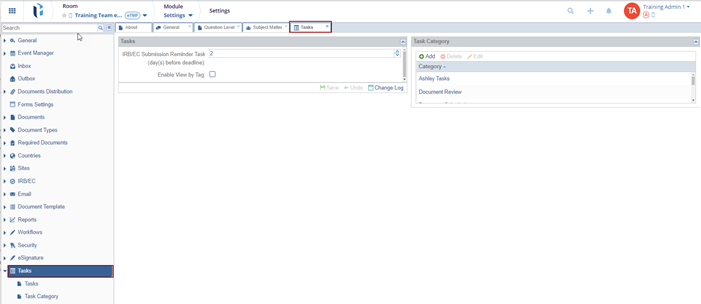
The Tasks include 2 sections:
- Tasks
- Task Category
- Navigate to Navigation Grid → Settings → Tasks → Tasks
- Define the number of days from the IRB/EC submission reminder task option by clicking the up & down arrow.
- This defines the number of days before the due date that the user will receive a
reminder email regarding any task related to the IRB/EC.

Enabling View by Tag for tasks allows users to filter and organize tasks based on specific tags or labels. This feature provides a way to categorize tasks by relevant topics or themes, making it easier to locate and manage tasks related to particular subjects or priorities. By using tags, users can quickly see which tasks are associated with certain categories, improving task management and visibility within the system.
The Change Log option, located at the bottom right of the screen, displays a record of Tasks and Close button.
Ensure to click Save to apply and retain any changes.
Task categories must be specified during task creation. These categories should be pre-created to ensure that users can select the appropriate one from the dropdown menu in the Task Creation window. This helps in organizing and classifying tasks effectively.
Task categories can be created, edited, or deleted through the buttons on the Task Category dashlet.
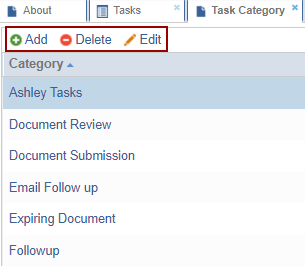
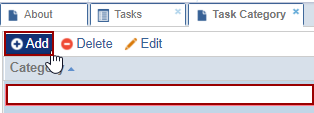
Adding New Category
- Click Add from the top ribbon.
- A new row appears in the grid below.
- Enter the name of the Category and click aside to save the change.
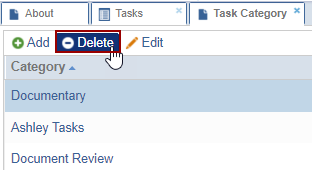
Deleting New Category
- Select the category and click Delete from the top ribbon.
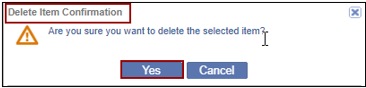
- A Delete Item Configuration pop-up window is displayed.
- Click Yes if a user wants to delete the question level.
Editing a Question Level
To edit a question level:
- Select the category and click Edit from the top ribbon. You can also
double-click the question level to edit.
- The field becomes editable.
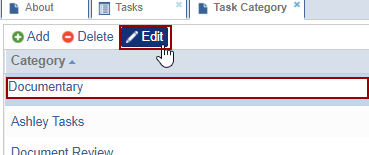
- Edit the details as required and click aside to save the changes.
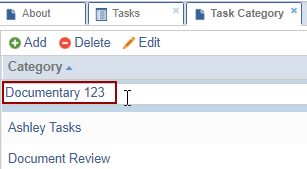
- The field becomes editable.

 Linkedin
 X
X

