
Mass Coding
To mass code a document type, follow the steps below.
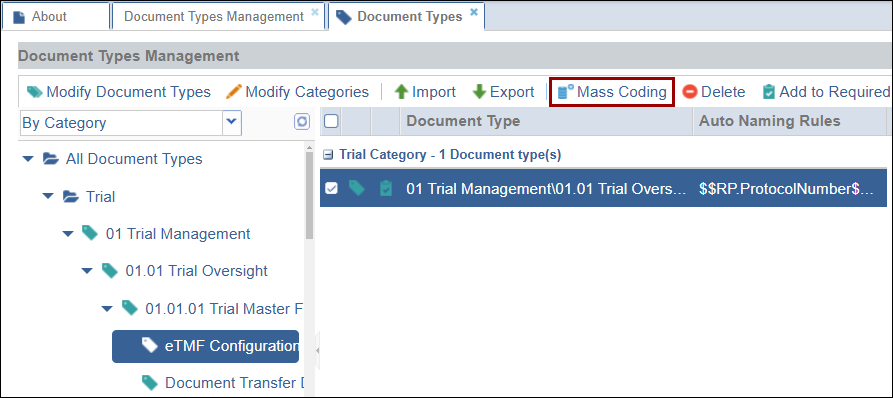
- Select a document type by expanding the category folders and associated sub-folders.
- Click on the Mass Coding button from the top menu bar.
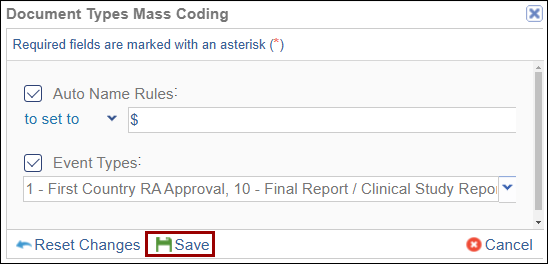
- On the Document Types Mass Coding window, specify the Auto Name Rules and Event Types.
- Click on the Save button.
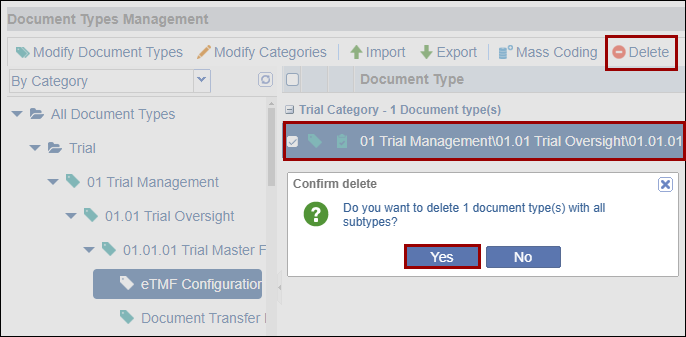
To delete a document type, follow the steps below.
- Select a document type by expanding the category folders and associated sub-folders.
- Click on the Delete button from the top menu bar.
- Click on the Yes button on the confirmation popup.

 Linkedin
 X
X

