
Invite Participant
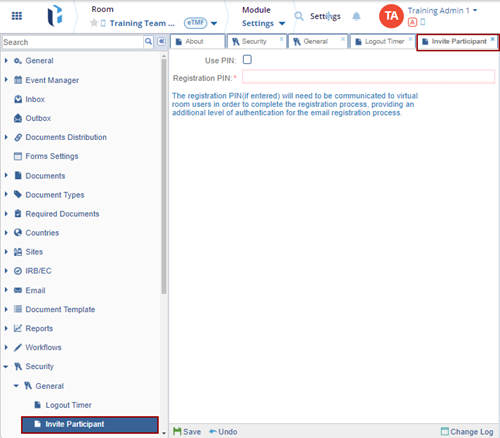
As an Administrator, the user can add a layer of security to the user registration process.
To use this extra layer of security:
- Click the Use PIN checkbox.
- Enter a Registration PIN.
Note: The registration PIN (if entered) will need to be communicated
to virtual room users in order to complete the registration process, providing an
additional level of authentication for the email registration process.
The Change Log option, located at the bottom right of the screen, displays a record of Invite Participant. It includes columns for Item Name, New Value, Old Value, Updated By, and Updated On (with the timestamp) and Close button.
Ensure to click Save to apply and retain any changes.

 Linkedin
 X
X

