
Manager Access
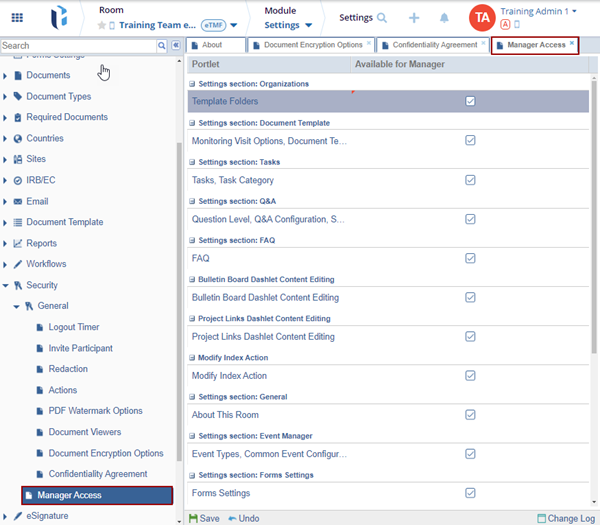
Access permissions for the Manager role can be customized through the Manager Access settings. Administrators can configure these settings to grant Managers access to the Room Settings module and allow them to view and manage selected settings.
To configure the Manager Access settings, perform the following:
- Expand the Security settings dropdown and select the Manager Access option.
- Check the checkboxes under the Available for Manager column for the displayed options.
- Click Save.

 Linkedin
 X
X

