
Notification Columns
The Notification Columns are related to the list of fields that will be included in notification emails for notifications that the user wants to receive.
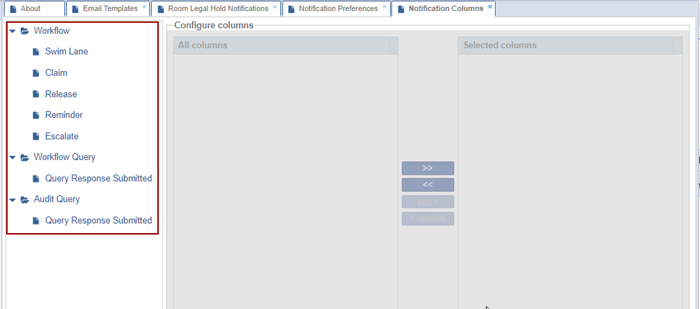
The Notification Columns are available for the following categories with sub-sections:
- Workflow
- Workflow Query
- Audit Query
To configure the notification columns, follow the steps below:
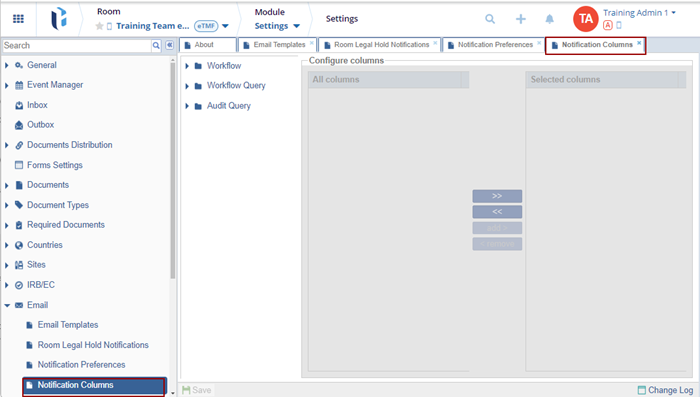
- Navigate to the Notification Columns settings page.
- Expand the arrow available beside the categories and select a sub-category.

- Under the Configure Columns section, click on the >> icon the add all columns
to the Selected columns section.
- Click the << icon to remove all columns from the Selected columns
section.
- To add a specific column, select the column name and click add>.
- To remove a specific column, select the column and click <
remove.

- Click Save.


 Linkedin
 X
X

