
Notifications Preferences
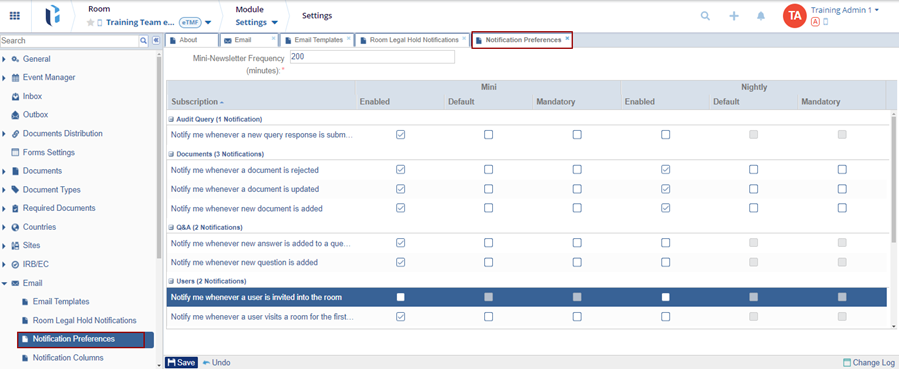
The Notifications Preferences section allows users to specify the email notifications they would like to enable for the study room.
To configure the notification preferences, follow the steps below:
- Enter the Mini newsletter Frequency (minutes) with which the mini newsletters
will be sent to the users.

- In the Subscription panel, enable the appropriate notifications or Mini or
Nightly categories that will be available to the room’s users.
- Enabled
- Default
- Mandatory
- Click Save once the notification preferences are configured.

 Linkedin
 X
X

